Permanent Island allows your device’s camera punch hole to always blend seamlessly into a continuous, interactive dynamic island—even when no music is playing and no active notifications are present.
How Permanent Island Works#
In standard behavior, the HyperIsland only appears when an active event occurs (such as incoming notifications, music playback, or navigation cues) and collapses completely once dismissed or timed out.
When Permanent Island is enabled:
- An elegant, compact pill is persistently displayed over your camera cutout while the device is in an idle state.
- Smart Notification Transition: The moment an incoming notification or Live Update arrives, the permanent island smoothly morphs and expands into the active event island.
- Auto Reappearance: Once all active notifications are cleared or timed out, the island effortlessly returns to its minimal camera pill shape.
- Clean Notification Shade: The idle permanent island runs purely as an on-screen visual element and will not clutter your notification shade.
Configuration & Setup#
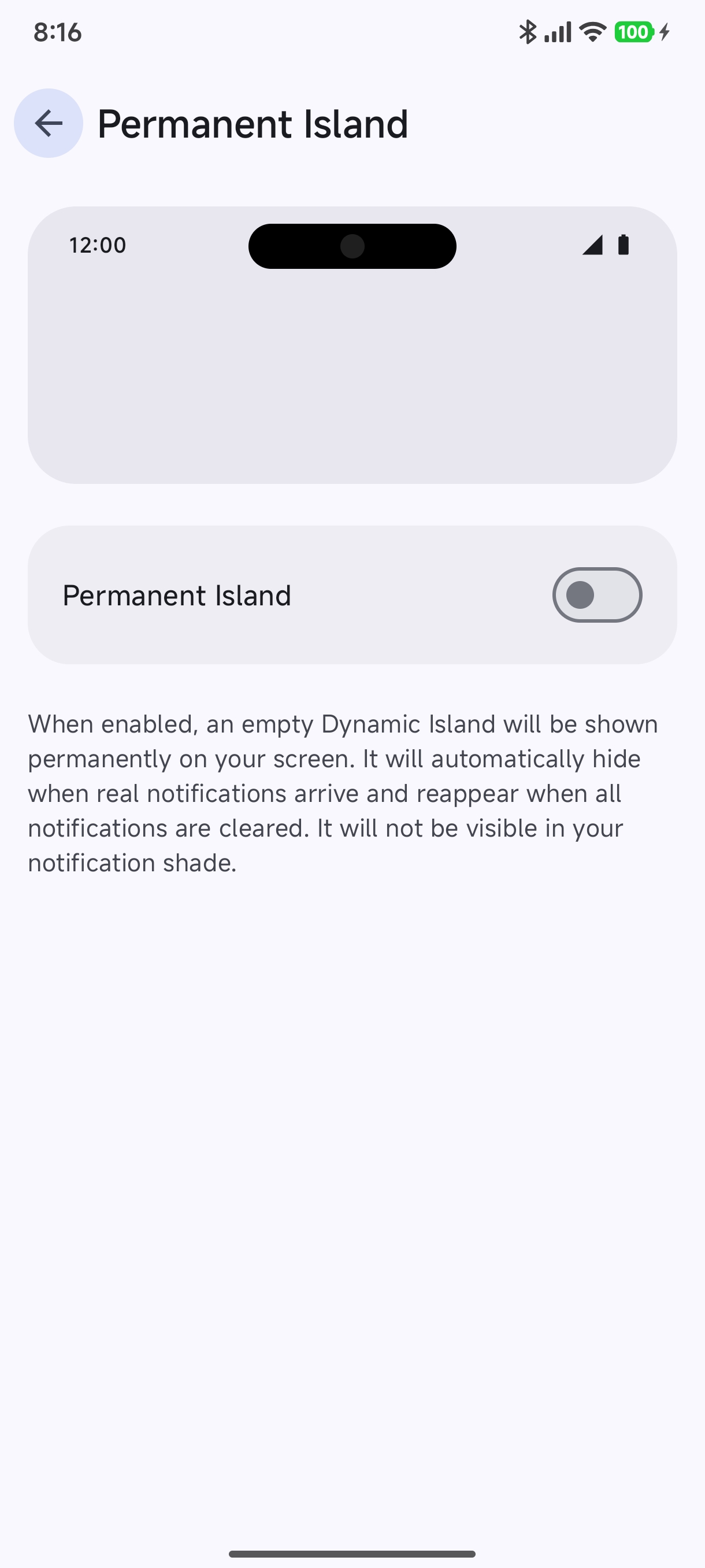
You can configure Permanent Island in the Hyper Bridge settings under Global Settings → Permanent Island:
Settings & Controls#
- Permanent Island Toggle: Enable or disable the persistent idle island pill.
- Preview Canvas: Provides an interactive preview showing how the pill aligns with your device’s camera cutout and status bar elements (clock and battery icons).
- Cutout Alignment: Matches the camera cutout position configured during the initial Onboarding Wizard.
Why Use Permanent Island?#
- Aesthetic Continuity: Eliminates awkward transitions where the camera hole abruptly exposes screen edges.
- Instant Visual Touchpoint: Gives your HyperOS device a signature look similar to dedicated hardware island notches.
- Low Power Consumption: Operates with near-zero GPU and battery overhead by sleeping hardware layers during static display.
Related Features#
- Dynamic Island Engine: Learn how notifications morph between states.
- Inline Reply: Fast messaging reply popups without switching apps.
- Design Hub & Custom Themes: Customize colors, shapes, and templates.