Inline Reply brings immediate, seamless chat responses to your HyperOS dynamic island. Instead of pulling down the entire notification shade or switching away from your current app or game, tapping reply on any supported message immediately launches a sleek floating input box.
1. Quick Floating Reply Experience#
When a message arrives from supported communication apps (such as WhatsApp, Telegram, Signal, Discord, SMS, or Slack), the island provides a direct reply button.
Tapping reply opens the Inline Reply Overlay:
- Type your response into the floating input field.
- Send directly with a single tap of the send icon or your keyboard’s action key.
- The overlay vanishes automatically and sends your text via Android’s native
RemoteInputframework, ensuring fast and reliable delivery.
2. Custom Colors & Themes#
Hyper Bridge gives you deep customization over the colors of your inline reply textfield and action buttons:
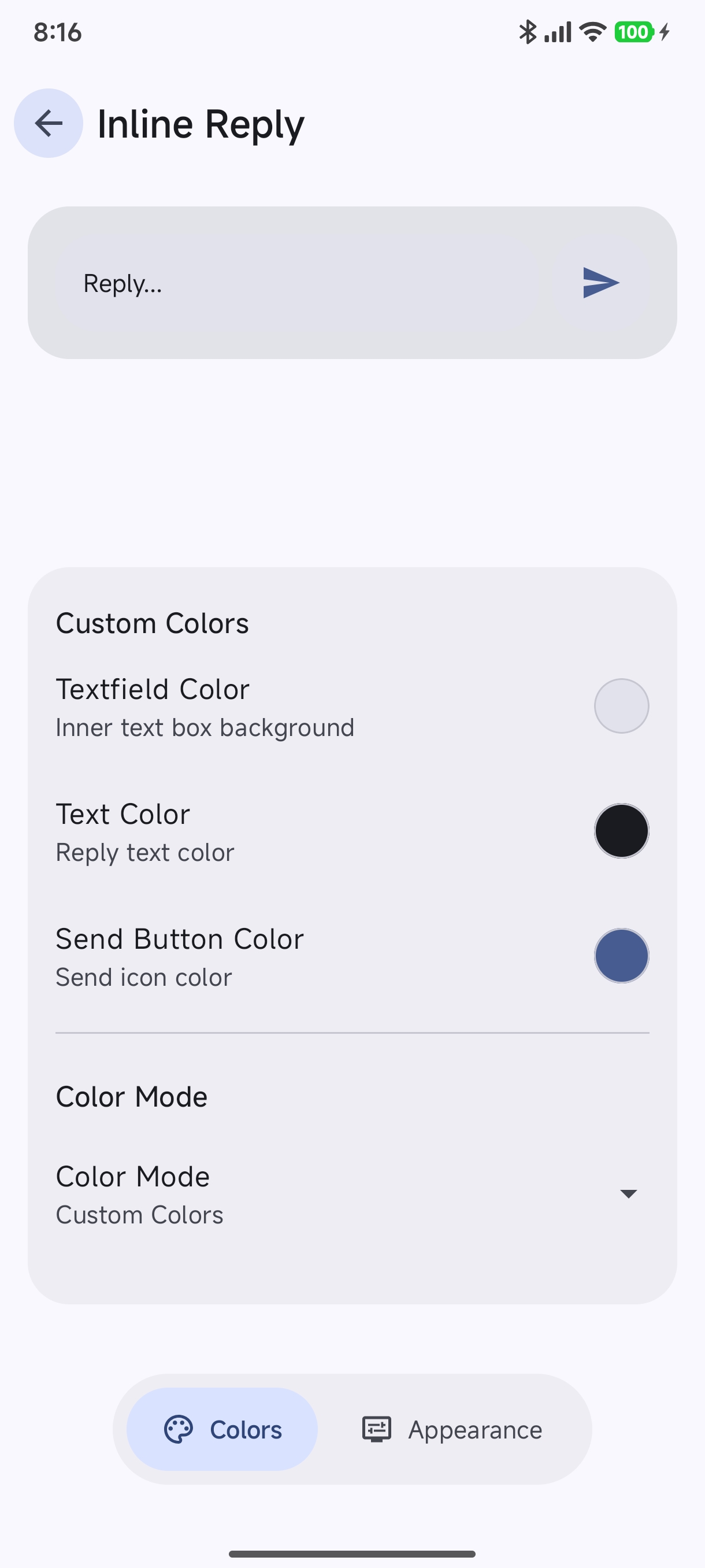
- Textfield Color: Set the background tint of the text input container.
- Text Color: Choose the typography color for the message you type.
- Send Button Color: Pick an accent color for the floating send arrow button.
Color Mode Options#
Tap Color Mode to choose how the reply box resolves its color scheme:
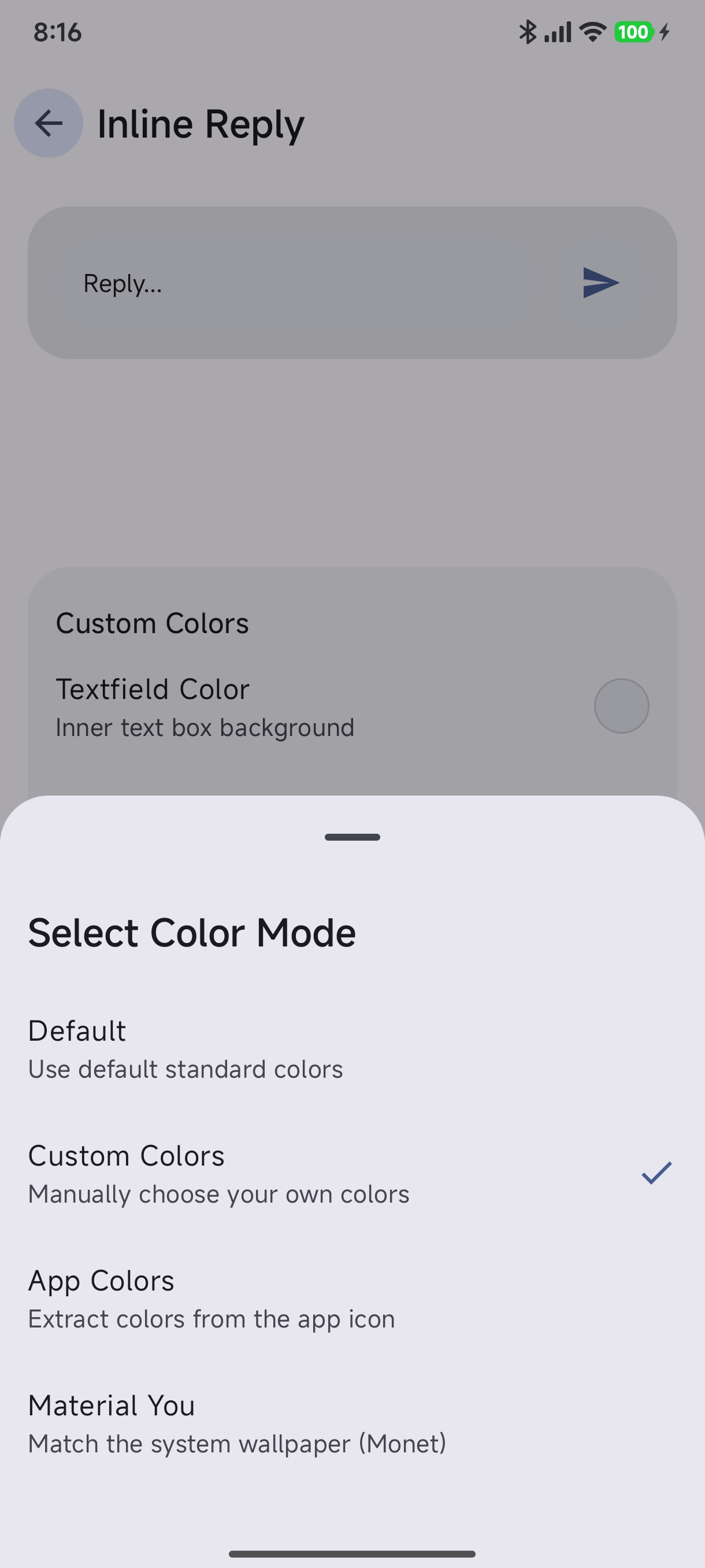
- Default: Clean standard contrast colors matching the Hyper Bridge theme.
- Custom Colors: Full manual color picking for the textfield, text, and send button.
- App Colors: Dynamically samples accents from the originating messenger app’s icon (e.g. green for WhatsApp, blue for Telegram).
- Material You (Monet): Dynamically extracts harmonizing tones directly from your active Android wallpaper.
3. Appearance & Glassmorphism#
Fine-tune the geometric design and visual effects of the inline reply box to match your aesthetic:
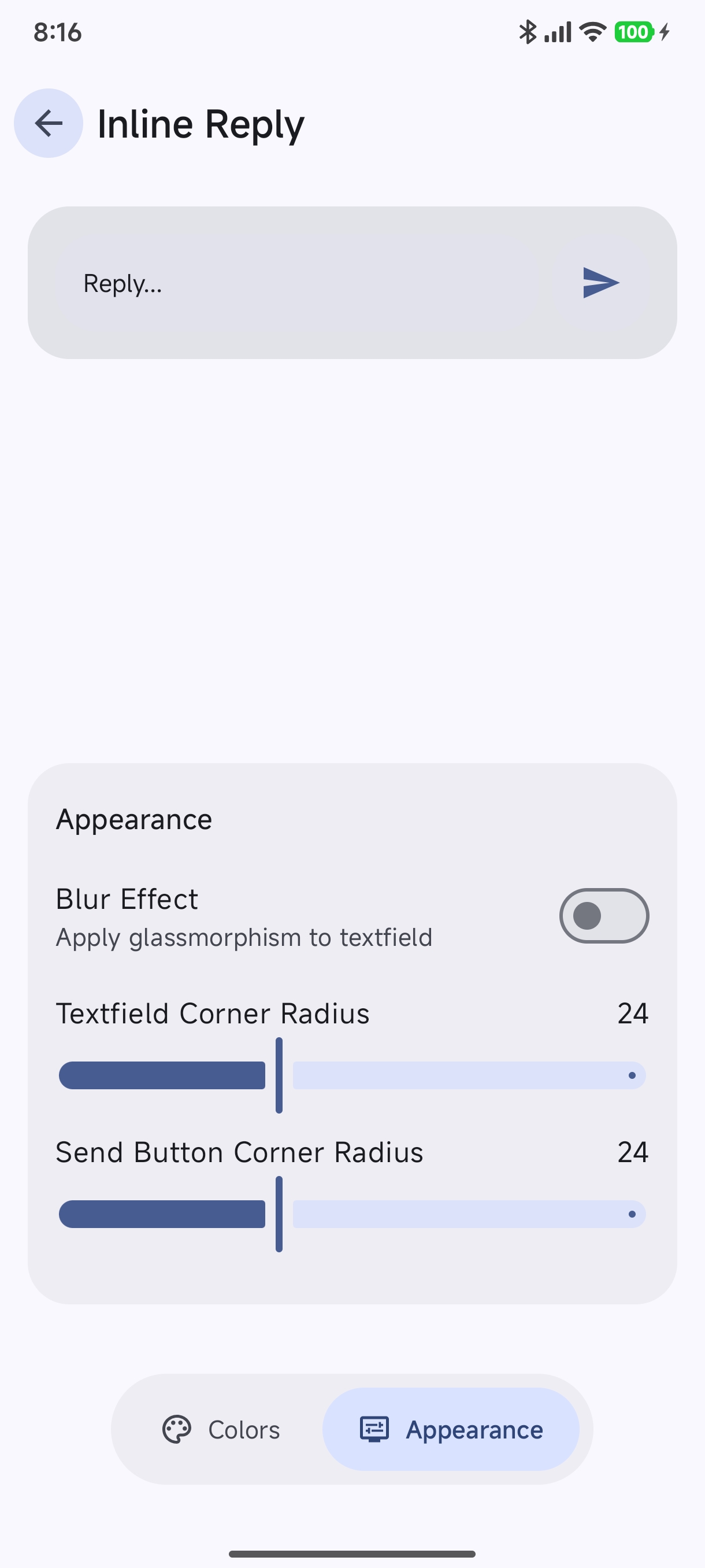
- Blur Effect (Glassmorphism): Toggle a frosted glass background blur behind the floating reply textfield for an ultra-modern aesthetic.
- Textfield Corner Radius: Adjust slider (e.g.
24px) from sharp modern corners to rounded pill capsules. - Send Button Corner Radius: Customize the curvature of the companion send button.
Related Features#
- Smart Actions: One-tap OTP copying and contextual shortcuts.
- Permanent Island: Keep your punch hole styled when idle.
- App Settings & Preferences: Full guide to global settings and preferences.